
AI customer support
A customer support chatbot built around your business.
Answer recurring customer questions from your knowledge, guide visitors through a visible workflow, and give your team the context to continue. Build your AI chat assistant in LoopReply, then test how it handles the questions your customers actually ask.
Free includes 500 messages per month. Human takeover starts on Pro.
Start with a question you can answer well
An AI customer service assistant needs an approved source and a clear next step. Use public product and policy questions for an initial release. Add account-specific operations only after their connections and permissions have been configured and tested.
| Customer question | Information needed | Configured response path |
|---|---|---|
| Can I return an unused item? | Your current returns policy | Answer the policy question. Route an exception to your team. |
| How do I change my account settings? | Your reviewed product instructions | Explain the documented steps and link to the relevant account page. |
| Which product supports this requirement? | Your catalog or a processed CSV/XLSX file | Use the available product facts. Ask for a missing requirement before suggesting an option. |
| Where is my order? | An authorized order service or your customer portal | Direct the customer to your portal, or use a separately configured API workflow with the required access checks. |
Describe the support behavior. Review the result.
Architect Studio configures the selected Agent through conversation. Ask for a specific rule, such as answering delivery questions from your shipping policy and routing exceptions to your team. Inspect the saved settings and workflow before relying on the change.
Instructions, appearance and workflow changes use drafts and publishing. Knowledge sources and some other settings are live. The interface identifies which kind of setting you are changing, so check the result and test the relevant customer path.
Explore the AI chat assistant builder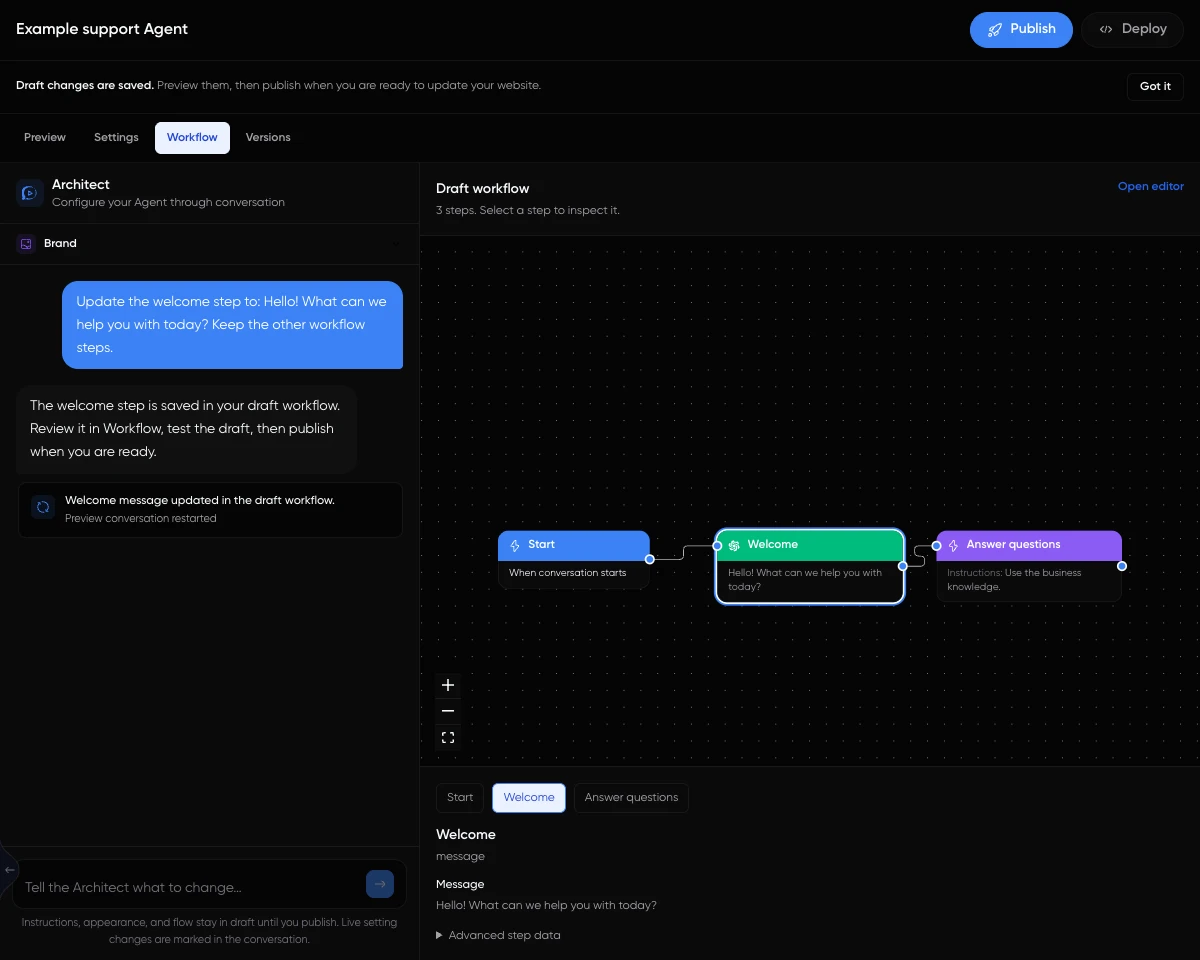
Use the information your business has reviewed
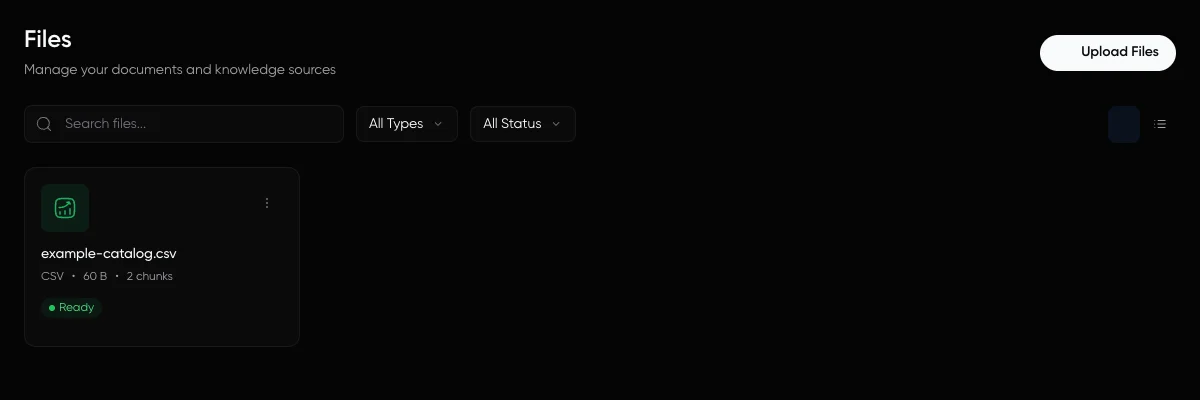
Attach the documents and website pages that explain your product, terms and support process. For tabular information, LoopReply supports CSV/XLSX files and configured PostgreSQL or MySQL query results. Processing must complete before the source can support answers.
Imported sources are saved copies. A changed policy, price or database row needs a new crawl, reprocessing or sync. Test a supported question, a question the source cannot answer, and a calculation or lookup when that task matters to your business.
Review supported knowledge sources and limitsFrom a support question to a published website chatbot
Choose one support task
Create an Agent for a defined job, such as explaining delivery and return policies. Decide which requests your team should handle and what a successful answer must contain.
Connect the knowledge it needs
Attach relevant documents, website pages or a dataset. Wait until processing finishes, then check representative answers against the original sources.
Configure and review the workflow
In the selected Agent's Architect Studio, describe its instructions and routing. Inspect the settings and visual workflow beside the configuration conversation. Test the saved draft before publishing.
Set up human support
On a plan that includes human takeover, configure when the conversation should reach your shared inbox. Assign an available responder and explain the expected response process to customers.
Publish, install and keep testing
Publish the reviewed Agent and install its widget on your website. Test the public widget on phone and desktop, including missing information, a handoff and any connected action. Review conversations after launch.
Human support is a team process as well as a product feature. A configured handoff can request help; it does not guarantee that someone is online. Read the conversation in the shared inbox and decide when the operator should take over or return to AI.
AI customer support questions
AI customer support uses an AI assistant to help customers with questions and configured support tasks. In LoopReply, an Agent combines your instructions, connected knowledge and conversation workflow. Your team reviews conversations and can take over on eligible paid plans.
LoopReply lets you build an AI chatbot for customers on your website. Architect Studio is the separate AI configurator inside each Agent: you speak with it to change that Agent's configuration. It does not replace the customer-facing widget or provide a general personal AI chat service.
Yes. Supported knowledge sources include documents, CSV, XLSX, crawled website pages, and configured PostgreSQL or MySQL query results. Sources must finish processing or syncing before they are ready for answers. Imported content is a saved copy, so reprocess or sync it when the source changes.
No. Uploading a file supplies knowledge; it does not authorize account access or create a live order connection. Customer-specific lookups and actions require separately configured services, permissions and workflow logic. A public chat message alone does not authenticate the customer.
No. Free includes 500 messages per month, 100 active users and 1 Agent. Human takeover and custom branding start on Pro, which costs $49 per month when billed monthly. Priority support and analytics exports start on Scale.
Start with a written test set and an expected answer or next step for each question. Check the source, wording, routing and any connected operation. After launch, review real conversations and available analytics. A friendly reply, an uploaded file or a short demonstration does not by itself prove that the support task was completed correctly.
Test your own support questions
Create a Free Agent with 500 messages per month, connect a focused source and test the answers. For a staffed AI customer support workflow, review Pro and higher plans for human takeover and the team allowance you need.