
A spreadsheet upload can finish successfully while an answer still misses the point. Finding one product description is a different task from counting every product or adding an entire column. Before you put an Agent in front of customers, give it a few questions whose answers you already know.
Here are four checks we used while testing LoopReply's spreadsheet and database knowledge. The numbers below come from synthetic test data, not customer records or a performance study. You can repeat the same checks with a small, harmless copy of your own catalogue.
1. Can it count every row?
Create a sheet with 80 data rows, plus a header row. Give each row a distinct product code. Upload it to your Workspace, attach it to the right Agent, and wait until processing is ready.
Ask: “How many products are in this dataset?”
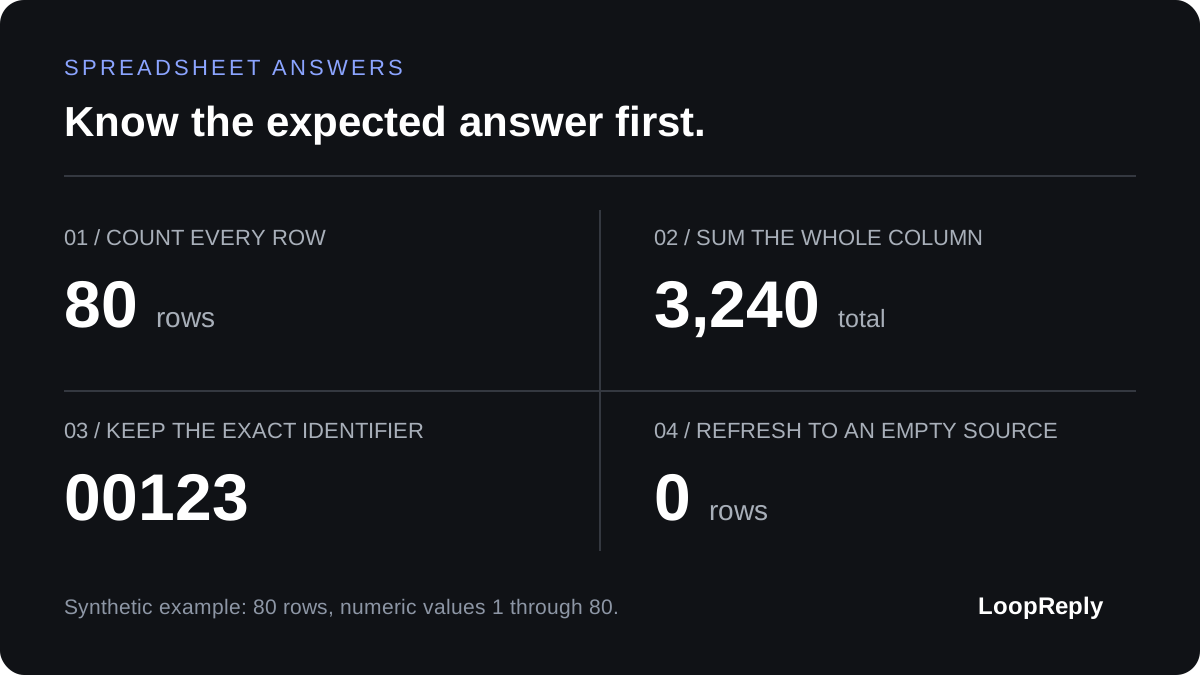
The expected answer is 80. Follow with a filtered question, such as counting products in a particular region. In our sample, 40 rows belonged to the EU region, so the filtered count was 40.
A plausible handful of matching rows does not establish a complete count. If the Agent cannot access the whole dataset, it should explain that limitation rather than present a sample as the total.
2. Can it add the whole column?
Add a numeric column containing the values 1 through 80. Ask: “What is the sum of the values across all rows?” The answer should be 3,240.
Check that number in your spreadsheet first. This gives you an independent expected result, so a confident explanation cannot distract from incorrect arithmetic.
For a real catalogue, name the column and unit in the question. “Total stock units” and “total product prices” mean different things. Keep currencies separate, and decide how blank cells should be treated before relying on a total.
3. Does a product code stay a product code?
Include an identifier such as 00123, then ask for the item with that exact code. Check that the answer preserves the leading zeros and returns the correct row.
Codes, postcodes, and account references often look like numbers without being quantities you should add. Store identifiers as text where possible. If a spreadsheet export has already removed the zeros, an upload cannot reconstruct what the original identifier was.
Also try a code that does not exist. A useful answer says it could not find the item and asks for a correction. It should not invent a nearby match.
4. Does it notice when the data changes?
Change a known value in your test source, refresh or replace it in LoopReply, and wait for processing to finish. Start a fresh conversation and ask the same question again. The answer should reflect the new value.
For a connected database, test an empty result too: make the test query return no rows, sync it, and ask for the count. The expected answer is zero, with no old products presented as current stock. A failed sync is different from a successful empty result, so check the source status as well as the reply.
Keep these questions and their expected answers as a small checklist. Run them in preview, then repeat them in the published Agent after changing its knowledge. Our knowledge base overview explains where these sources fit. Four checks will not cover every customer question, but they give you concrete evidence before you trust the next answer.