
No. Versions does not provide restorable historical snapshots. If you may need to recreate an earlier setup, keep your own approved change note before publishing, then use Studio to inspect the current saved states. This is different from reviewing a draft before publication; see how to review Architect Studio changes for that task.
What Versions can and cannot do
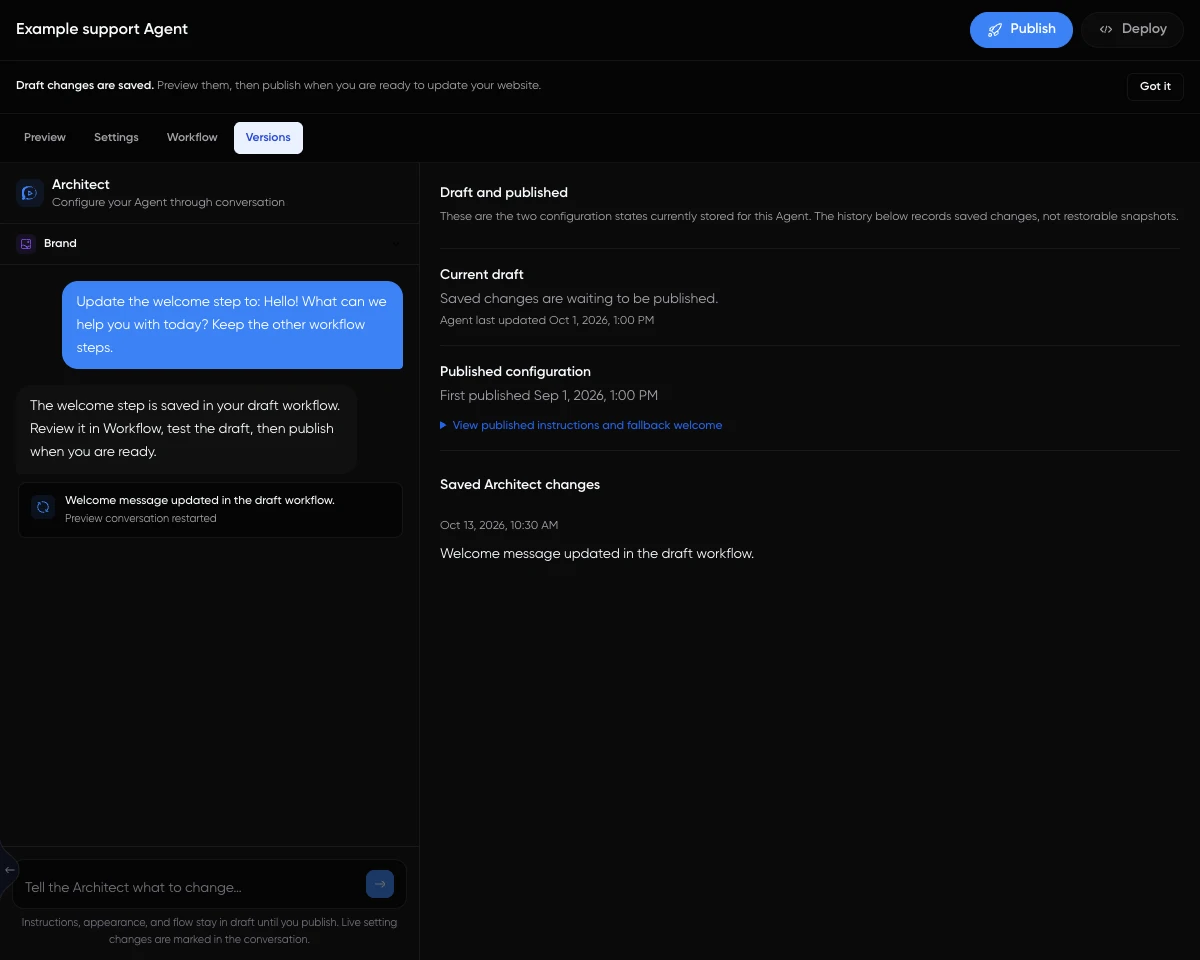
Architect Studio lets you inspect Settings, Workflow, and Versions alongside the configuration conversation. Versions shows the stored draft and published states plus saved Architect changes, but it does not provide restorable historical snapshots.
That makes Versions useful for checking what is currently saved, not for selecting an older version and rolling the Agent back to it. If you need to return to wording or a setup you used before, plan to make that change again from a note you kept. Do not treat a saved change as a backup you can restore.
Keep a small recovery note
Before asking Architect to change an important setting, record the exact field and its currently approved value somewhere your business already uses for configuration notes. Add the change you want, who approved it, and whether it has been published. Keep the note focused on Agent setup, not visitor or customer details.
For example, a useful note could say: “Agent instructions, approved wording before change: ‘Answer general delivery questions using the published delivery policy.’ Requested wording: ‘Answer general delivery questions using the published delivery policy. Direct questions about a specific parcel to the support team.’ Status: draft, not yet published.” This gives you a reference if you later decide to recreate the earlier wording. It is advice for your own record-keeping, not a feature of Versions.
Worked example: recreate an instruction
Illustrative example, not an observed result: Your published instruction says, “Answer general delivery questions using the published delivery policy.” You ask Architect to add a direction for parcel-specific questions. Changes to Agent instructions remain drafts until you publish them.
Suppose the new instruction is published, then your team decides it should return to the earlier wording. The expected behavior is that Versions can show the current draft and published states and saved Architect changes, but it cannot restore the earlier instruction as a historical snapshot. Use your approved note to request the prior wording again, inspect the resulting draft, and publish only if that is the change you intend.
Check what is saved before deciding
In Studio, inspect the relevant settings or workflow and the Versions panel alongside the configuration conversation. The AI Agent builder overview provides broader context on configuring an Agent. For this specific recovery question, check whether the wording you need exists in your own approved note; do not assume the Versions panel can recover an earlier state.
As practical advice, make the note before a change that would be difficult to reconstruct, and update it when your team approves a new version. That simple habit gives you a reference for recreating a prior setup without confusing saved changes with restorable history.